QR Code
Billiards: Offline Pool Game

Billiards: Offline Pool Game Guide, Tips and Gameplay

by HDuo Fun Games
(0 Reviews) March 08, 2024
Billiards: Offline Pool Game Billiards: Offline Pool Game Billiards: Offline Pool Game Billiards: Offline Pool Game Billiards: Offline Pool Game Billiards: Offline Pool Game Billiards: Offline Pool Game Billiards: Offline Pool Game

Latest Version

Update
March 08, 2024
Developer
HDuo Fun Games
Categories
Sports
Platforms
Android Windows
Views
1
Visit Page

More About :game

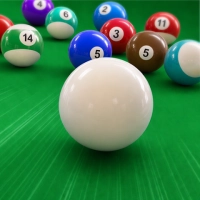
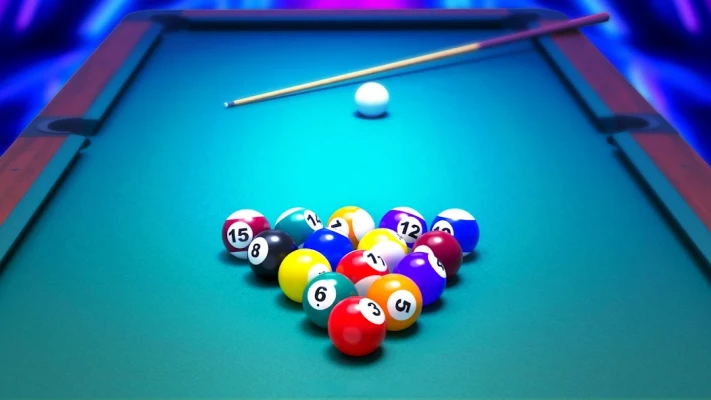
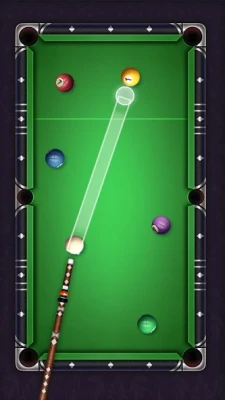
Billiards: Offline Pool Game is a realistic single-player pool simulator that lets you enjoy classic billiards without an internet connection. Featuring smooth controls, authentic ball physics, challenging levels, and collectible cues, it offers an enjoyable experience for both beginners and experienced pool fans.

Billiards: Offline Pool Game recreates the excitement of traditional pool with intuitive touch controls and accurate physics. Players can complete hundreds of progressively challenging levels while improving their aiming, shot power, and cue ball control.

The game's offline support makes it perfect for playing anytime, whether you're practicing your skills or relaxing with a few quick matches. Realistic table movement and polished visuals create an enjoyable billiards experience for players of all skill levels.


Game Features

  • Realistic 3D billiards physics
  • Offline single-player gameplay
  • Hundreds of challenging levels
  • Smooth aiming controls
  • Multiple collectible cues
  • Progressive difficulty
  • High-quality graphics
  • Easy-to-use interface
  • Relaxing gameplay
  • Suitable for all skill levels

Gameplay Overview

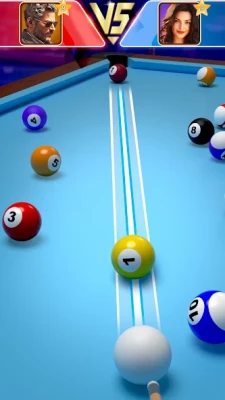
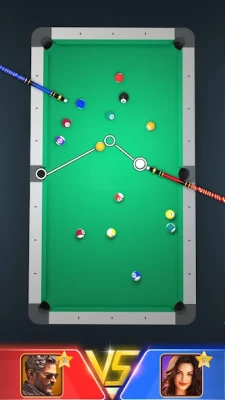
Your objective is to clear every table by pocketing all required balls while planning your shots carefully.

During gameplay you will:

  • Aim precisely.
  • Adjust shot power.
  • Pocket balls efficiently.
  • Position the cue ball for the next shot.
  • Complete challenging layouts.
  • Unlock additional cues.
  • Progress through increasingly difficult levels.

Each completed level introduces new table arrangements that encourage smarter shot planning.


Controls Guide

The controls are simple and responsive:

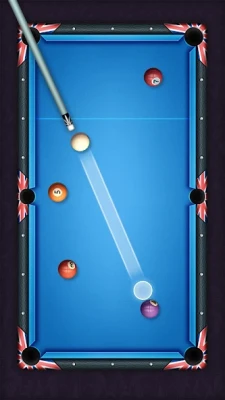
  • Drag to adjust your aim.
  • Pull the cue backward to set power.
  • Release to shoot.
  • Fine-tune your direction before every shot.
  • Practice controlling cue ball positioning.

Good accuracy is often more valuable than maximum shot power.


Beginner Guide

If you're new to pool games:

  1. Start with easy shots.
  2. Avoid hitting the cue ball too hard.
  3. Watch rebound angles.
  4. Plan your next shot before shooting.
  5. Practice cue ball positioning.
  6. Replay difficult levels to improve consistency.

Advanced Strategy

Experienced players often:

  • Control cue ball movement after every shot.
  • Use cushion rebounds effectively.
  • Set up combination shots.
  • Clear difficult balls early.
  • Choose precision over power.
  • Think several moves ahead.

Learning cue ball control is one of the fastest ways to improve.


Cue Collection

As you progress, you'll unlock a variety of attractive cue designs that personalize your gameplay experience and add visual variety.


Progression System

Players advance by:

  • Completing levels
  • Improving shot accuracy
  • Unlocking new cues
  • Mastering advanced layouts
  • Increasing consistency
  • Tackling more difficult challenges

The gradual increase in difficulty keeps the experience rewarding.


Helpful Playing Guidelines

  • Take your time before every shot.
  • Focus on cue ball placement.
  • Use moderate shot power whenever possible.
  • Learn cushion angles.
  • Replay difficult stages.
  • Practice combination shots.
  • Stay patient during complex layouts.

Graphics and Sound

The game delivers:

  • Realistic 3D tables
  • Smooth ball animations
  • Authentic physics
  • Clean interface
  • Relaxing background music
  • Responsive visual effects

The presentation creates a calm and immersive billiards atmosphere.


Difficulty Level

Learning: Easy

Mastery: Medium

Basic controls are simple, but mastering advanced positioning and bank shots requires practice.


Why Players Enjoy It

Players frequently praise:

  • Realistic ball movement
  • Offline accessibility
  • Smooth controls
  • Large number of levels
  • Relaxing gameplay
  • Attractive visuals
  • Easy learning curve

Common Player Feedback

Many players appreciate the game's realistic physics, enjoyable progression, responsive controls, and relaxing single-player experience.

Some users note that:

  • Advertisements can appear frequently in the free version.
  • Some later levels become more challenging.
  • A few table layouts may feel repetitive after extended play.

Recommendations

Billiards: Offline Pool Game is an excellent choice for players who enjoy:

  • Pool simulations
  • Offline mobile games
  • Casual sports games
  • Realistic physics
  • Precision-based gameplay
  • Short relaxing gaming sessions

Pros

  • Realistic physics
  • Offline gameplay
  • Smooth controls
  • Hundreds of levels
  • Attractive graphics
  • Easy to learn
  • Suitable for all ages

Cons

  • Ads in the free version
  • Repetitive layouts in later stages
  • Mostly single-player content
  • Limited gameplay modes

Final Verdict

Billiards: Offline Pool Game offers an enjoyable blend of realistic physics, accessible controls, and rewarding progression. Its offline functionality, polished visuals, and gradually increasing challenge make it a great option for players looking to practice their pool skills or relax with a quality sports game. Whether you're a beginner or an experienced billiards enthusiast, it provides plenty of content to keep you entertained.

Frequently Asked Questions

Is Billiards: Offline Pool Game free to play?

Yes. The game is free to download and includes optional in-app purchases.

Can I play without an internet connection?

Yes. The game supports offline single-player gameplay.

Does the game feature realistic physics?

Yes. It uses realistic 3D ball physics to create an authentic pool experience.

Is it suitable for beginners?

Absolutely. The intuitive controls and gradual difficulty curve make it easy for new players to learn.

What is the best strategy for difficult levels?

Focus on cue ball positioning, control your shot power, plan several shots ahead, and use bank shots whenever needed.

Are there unlockable cues?

Yes. Players can collect multiple cue designs as they progress through the game.

Rate the Game

Add Comment & Review

User Reviews

Based on 0 reviews
5 Star
0
4 Star
0
3 Star
0
2 Star
0
1 Star
0
Add Comment & Review
We'll never share your email with anyone else.